Skip to main content
Filling in your Self Assessment tax return? Here are 11 common mistakes to avoid
This article was written by FreeAgent’s Content team and our Chief Accountant, Emily Coltman FCA.
Filling in a Self Assessment tax return can be stressful. If you’re worried about missing something important, getting something wrong, or forgetting to add details that might have reduced your tax bill - you are not alone.
There’s always a high volume of people seeking help from FreeAgent’s friendly support team when completing their Self Assessment form, especially as the filing deadline looms. Many questions crop up year after year. So we asked our team to share some of the mistakes they hear most often. Here are 11 Self Assessment pitfalls that commonly catch people out, so you know what to look out for.
Mistake 1: trying to log in to your HMRC account with the wrong details
Dozens of people every year call FreeAgent’s support accountants, frustrated because they can’t get logged in to the HMRC website from their software. It’s a common mistake for people to input their email address, or let their browser auto-fill the email address, instead of entering their User ID.
Your User ID, which may be up to 12 characters long, was emailed to you when you registered to use HMRC online services. If you have forgotten it, first try searching back through your emails. If you still can’t find it, follow instructions to reclaim it on HMRC’s sign-in page. (Click ‘Sign in’, choose ‘Government Gateway’ and then there will be a prompt on the bottom of the next page saying ‘I have forgotten my Government Gateway user ID’.)
Mistake 2: forgetting to include salary, benefits or tax deductions from employment
If you have a salaried job in addition to running your own business, you will receive a P60 form from your employer in April or May (or a P45 if you left your job during the tax year). This will show you how much you earned in wages from that job and how much tax was deducted. You need to record this information on the Employment pages of your tax return.
Don’t forget to record any non-cash benefits (e.g. medical insurance), which will be noted in a P11D form from your employer. Be sure to record this information, in addition to your salary and tax deductions, on the Employment pages of your tax return.
Top tip: Always double-check you’re using the correct year’s P60 or P11D. Lots of people get tripped up by this!
Mistake 3: not claiming all available allowances
You probably already know about your Personal Allowance, which means that the first £12,570 of your earnings is not taxed. HMRC will automatically apply that allowance for you. But there are other valuable allowances you need to claim yourself.
These are a few of the most common allowances that are worth checking.
- Marriage Allowance, for married couples or people in civil partnerships in which one earns less than their Personal Allowance and the other is a basic-rate taxpayer.
- Personal Savings Allowance, which allows you to earn tax-free interest if you have not used it up on your wages, pension or other income.
- Trading and Property Allowances, a tax exemption of up to £1,000 a year for individuals with trading income or income from property. You can claim this instead of actual costs and capital allowances to reduce your profit.
- Blind Person’s Allowance, which increases the amount you can earn tax-free if you’re registered as blind or severely sight impaired.
Claiming these could save money on your tax bill.
Mistake 4: failing to claim tax relief on charitable donations
If you’ve donated to charity and you ticked the form for the charity to claim Gift Aid on your donation, your donation could be eligible for tax relief. HMRC has information on claiming tax relief on charitable donations.
Mistake 5: missing out on tax relief for pension contributions
If you’re self-employed and pay above the basic rate of tax, and you’re paying into a pension, you need to list your pension contributions for the year on your Self Assessment form. If you don’t, you could miss out on valuable tax relief.
So, if you pay any tax at 40% or higher, be sure to add all pension contributions on your Self Assessment form.
Mistake 6: forgetting the High Income Child Benefit Charge
If you or your partner has a net income over £60,000, and you are claiming Child Benefit, you will have to pay the High Income Child Benefit Charge. For each £200 earned over £60,000, you must repay 1% of the Child Benefit you’ve received. HMRC has information on how to do this through Self Assessment.
Mistake 7: incorrectly recording student loan repayments
If all of your income is reported through Self Assessment, reporting student loan repayments in your return can be quite complicated, particularly if you are self-employed. FreeAgent has a helpful guide.
If you also receive wages from employment, you are probably making student loan repayments through PAYE. You might end up paying more tax if you forget to double-check that your student loan repayment plan and all contributions are correct on your Self Assessment form. You will find the details on your P60.
Mistake 8: forgetting to declare interest received on all bank accounts
You have to declare all the interest you’ve received on all bank accounts, including personal accounts. The only exception to this would be a bank account on which the interest is paid tax-free, such as an Individual Savings Account (ISA).
When declaring interest received on bank accounts, be sure to include:
- interest received on your business bank account (unless your business is a separate legal entity from you, such as a limited company)
- your share of interest received on any accounts you held jointly with another person
- interest received on personal bank and building society accounts
Find out how you can do this in FreeAgent.
Mistake 9: losing out by not claiming all allowable expenses
Expenses can be fiddly and it’s easy for things to slip your mind when filling in your Self Assessment. But if you aren’t adding all the allowable expenses you can, you might be missing an opportunity to bring down your tax bill.
In particular, watch out for everyday things like costs for using your home as your office, or mileage. And don’t forget costs like marketing, which could include professional paid-for accounts on social media such as LinkedIn or Instagram. Costs for software and subscriptions (including subscriptions to apps or publications, like journals or magazines required for your work) could also be allowable expenses. It might also be possible to claim training costs. FreeAgent has a helpful guide on what expenses you can claim.
If you’re using the accruals basis of accounting, there are a couple more common mistakes to watch out for…
Mistake 10: forgetting to declare business income not yet received
If you’ve opted to use the accruals basis of accounting (otherwise known as traditional accounting) to prepare your accounts, you must declare all income from the relevant tax year year in your tax return, even uninvoiced and unpaid income.
If your accounting year end falls on the same date as the tax year end, for example, you would need to declare any income for work that you’d completed by 5th April 2026, but had not yet been paid for, in your 2025/26 tax return.
Mistake 11: neglecting to record unpaid costs
Another one to watch out for for everyone using accruals accounting: remember to record all costs from your last accounting year, even those that were unpaid by the business at the year-end date. If the end of your accounting year falls on the same date as the tax year end, for example, you would need to record any unpaid costs that were incurred by 5th April 2026 on your 2025/26 tax return.
You will need to include two types of unpaid costs:
- costs that will be paid by the business after your accounting year end date (e.g. an office telephone bill)
- costs for which cash will never leave your business bank account (e.g. business use of home expenses and the cost of mileage for business travel)
If you have made a mistake… don’t panic!
If you discover you’ve made a mistake after you’ve filed your Self Assessment, you can correct it within 12 months of the filing deadline. You have to wait 72 hours after filing it before you can update your submission. Once the correction is made, your bill will be updated and you might have to pay more tax or claim a refund. If you filed your Self Assessment tax return through FreeAgent, here’s how to fix a mistake.
A simple way to take the stress out of Self Assessment
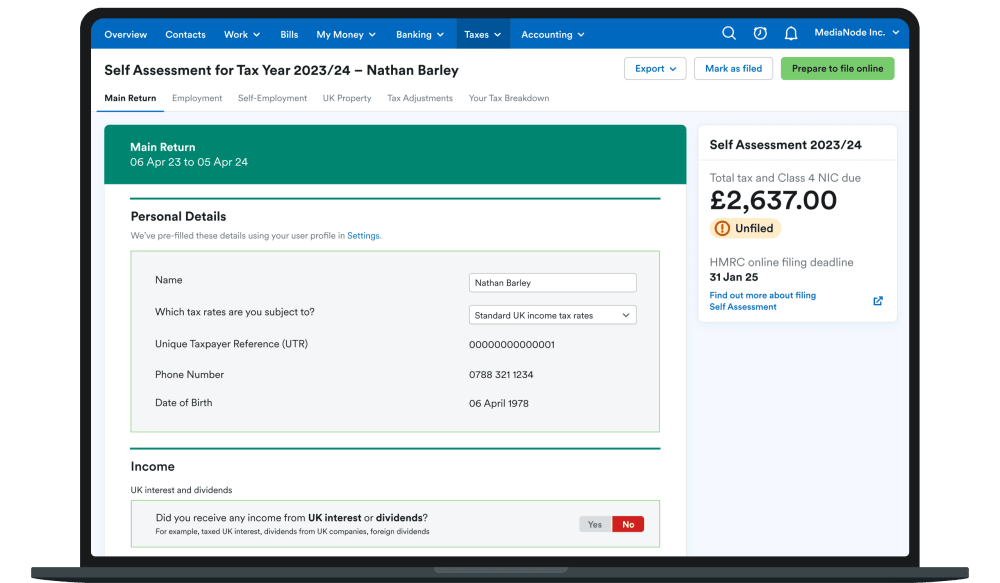
If you’re a sole trader, landlord or limited company director, FreeAgent’s award-winning accounting software uses the data you enter throughout the tax year to populate parts of your tax return for you.
It also calculates how much Income Tax you owe and, if you’re a sole trader, how much you owe in National Insurance.
When you’re ready, file directly to HMRC using the only major accounting software that lets small businesses and landlords do this.
Find out more about Self Assessment in FreeAgent and see just how easy filing your tax return can be.