 Skip to main content
 Has HMRC signed up your client to MTD for Income Tax? 5 things your practice should do next
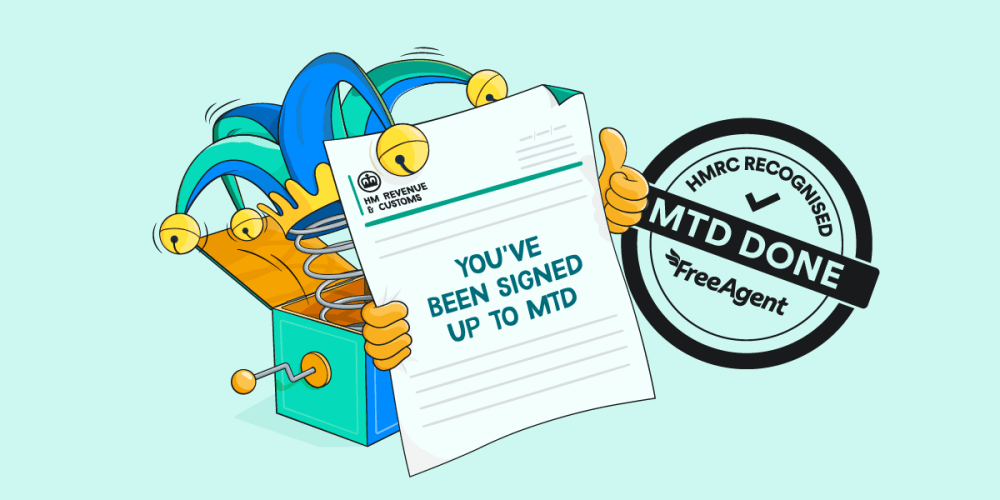
It’s 4.30pm on a Friday. You’ve just sat down with a well-deserved cup of tea when the phone rings. It’s a worried client asking why an HMRC letter has landed on their doormat saying they’ve been automatically signed up for Making Tax Digital (MTD) for Income Tax.
If that sounds familiar, you’re not alone. Accountants and bookkeepers across the country are getting the same calls.
Following the rollout of MTD for Income Tax on 6th April 2026 and the first quarterly update deadline on 7th August, HMRC has moved to its next phase. Since September, it has been automatically signing up sole traders and landlords with qualifying income over £50,000 (based on figures from their 2024/25 tax return) who should be using MTD for Income Tax but haven’t signed themselves up.
HMRC is writing directly to these taxpayers, either by post or through HMRC online services. Agents don’t receive a copy of HMRC’s communication, which means an anxious phone call could be the first sign that a client has been signed up to MTD. Not the most relaxing way to find out.
Fortunately, once you know where to look, the next steps are straightforward. A clear plan will help you answer your client’s immediate questions, check that HMRC holds the right information and guide clients towards a sustainable, scalable MTD workflow.
Here are five practical steps to take next.
1. Start with a quick check in your agent services account
First things first: double-check exactly where your client stands.
A quick scan through your agent services account (ASA) will show you whether HMRC signed this client up automatically or they completed the process themselves.
Log in to your ASA, navigate to the MTD for Income Tax section and enter the client’s Unique Taxpayer Reference (UTR). What you see next will depend on how (or whether) they signed up to MTD:
- If HMRC signed the client up automatically: you’ll arrive at the ‘Manage your Self Assessment’ screen. Check that HMRC’s records match the client’s current business and property income sources (this is the so-called ‘HMRC checking step’). Once you’ve confirmed the details, you’ll be taken to the client overview screen.
- If the client signed up themselves: you’ll bypass the checking step and go directly to the client overview screen.
- If the client doesn’t appear: this usually means they haven’t been signed up to MTD for Income Tax yet, either by HMRC or by themselves. If you know they’re in scope for MTD for Income Tax in 2026/27, don’t wait for HMRC to act. Complete the signup process for the client manually through your ASA. If you believe they have already been signed up, check that your practice has valid MTD authorisation and that your HMRC Online Services account is correctly linked to your ASA.
HMRC’s notice encourages taxpayers to speak to their accountant or agent, so there’s a good chance the client will come straight to you with questions. You can see an example of the notice in the HMRC agent toolkit.
Since agents don’t receive their own copy, proactively contact clients and encourage them to forward any future MTD communications to you as soon as they arrive. It’s also worth making regular UTR checks part of your ASA workflow, so you catch any further changes before they become Friday-afternoon surprises.
2. Help clients build a regular digital record-keeping routine
Quarterly reporting becomes much easier when clients keep their records up to date little and often.
The trick is to agree on a routine that works for each client. For many, setting aside 10 minutes each week is a manageable place to start. Others may benefit from regular reminders or a little extra support while the habit is still new.
Some record-keeping tasks are also easier for clients to complete on the go. For example, FreeAgent customers can use the FreeAgent mobile app to capture and upload a train ticket while waiting on the platform - before the exit barrier has a chance to swallow the evidence.
Then, during their regular bookkeeping slot, you can encourage clients to:
- review and explain unexplained bank transactions while the details are still fresh in their mind
- check that the bank balances in their accounting software match the balances in their bank accounts
- review and chase unpaid invoices
- review outstanding bills and pay any that are due
For some clients, building this routine may begin with a one-off change, such as opening a dedicated business bank account. If that would suit their circumstances, you can point them towards ways to access FreeAgent for free. Clients with a NatWest, Royal Bank of Scotland or Ulster Bank business current account can use FreeAgent for free while they retain their account. Mettle account holders can also use it for free if they make Mettle their primary business account in FreeAgent.*
Once those foundations are in place, discuss the tools that can help clients maintain the routine. If they aren’t already using accounting software, this is a natural opportunity to introduce FreeAgent. The software comes with features such as automated bank feeds that can help clients keep their records current while giving you clearer visibility.
The aim isn’t to find a perfect routine overnight. It’s to find a simple rhythm that works for that particular client. Get that right and you’ll have fewer end-of-quarter chases on your hands - and a calmer MTD experience for everyone.
3. Map the remaining deadlines and use the soft landing wisely
With the first quarterly update behind you, make sure the remaining 2026/27 deadlines are clearly mapped across your team:
- 7th November 2026
- 7th February 2027
- 7th May 2027
- 31st January 2028
Add these dates to your internal calendar, then work backwards to schedule client reminders and prepare for filing. If your teams use Google Calendar, you can add FreeAgent’s free MTD deadlines calendar to save all the remaining dates in one go.
HMRC has confirmed that, for the 2026/27 tax year only, clients won’t receive a penalty point if a quarterly update is submitted late. Having said that, outstanding updates must still be submitted before the client’s tax return can be submitted, and the usual penalties continue to apply to late tax returns and payments. Penalty points for late MTD quarterly updates will begin from the 2027/28 tax year including for clients who are only starting to use MTD from that year. You can find the full details in the HMRC agent toolkit.
Use this first year to strengthen your processes while you still have some breathing room. Agree on shared responsibilities with clients, test sending reminders and identify where extra support is needed. By the time the no-penalty window closes, both your team and your clients will have a familiar, tested routine to follow.
4. Keep official HMRC guidance close at hand
As MTD becomes part of your regular workflow, give your team one reliable place to check the latest requirements. Bookmark FreeAgent’s MTD hub for accountants and bookkeepers for practical resources and guidance, and add the HMRC agent toolkit to your internal resources for deeper guidance, examples of client communications, webinars and support for agents. Referring back to these resources regularly will help your team answer client questions consistently and update your processes when HMRC guidance changes.
It may also be helpful to assign someone on your team to monitor updates and share anything relevant with the wider team. That way, everyone can work from the same information without needing to interpret each HMRC update independently.
5. Review whether your software setup can scale
If you used spreadsheets and bridging software to get your clients through their first quarterly update, that may have been a sensible way to meet an immediate deadline without asking clients to change their habits all at once.
But now that the first filing cycle is complete, it’s worth taking a step back and asking how that approach worked out for your practice. How much time did your team spend chasing records, checking spreadsheets, correcting errors and processing submissions individually?
A process that feels manageable for a small group of clients may become harder to sustain as more taxpayers enter MTD. When the qualifying income threshold falls to £30,000 in April 2027, HMRC estimates that another 970,000 taxpayers will enter MTD. That’s a 124% increase on the first cohort, with a further threshold drop to £20,000 following in April 2028.
Our guide to auditing your bridging software in the context of MTD explores the longer-term limitations of spreadsheet-based processes and explains how FreeAgent helps your practice build a more scalable MTD workflow by 2027.
A few things to watch out for
The five steps above should help most of your clients. But since automatic sign-up is based on information HMRC already holds, some cases may need a closer look - particularly if your client’s circumstances have changed. Here are three common situations to watch for:
- The client believes they’ve been signed up incorrectly: remind them that a change in income since 2024/25 does not automatically exempt them from MTD. If they’re correct and you disagree with HMRC’s decision, contact the Agent Dedicated Line.
- An exemption application is pending: If the client receives an automatic sign-up notice while awaiting a decision on exemption from MTD, monitor their ASA status and continue meeting their current obligations until HMRC confirms the outcome. Refer to HMRC’s MTD exemption guidance for the next steps.
- The client signed themselves up: use your ASA checks to identify these clients, confirm your authorisation and software access and decide who will manage their quarterly updates. If they use FreeAgent, make sure their account is connected to HMRC and connected to your Practice Dashboard.
Turn an unexpected notice into a valuable conversation
We know an unexpected HMRC letter landing on a client’s doorstep can put you briefly on the back foot. But with a reliable process in place, you can turn that call into a useful strategic conversation rather than simply reacting to an urgent problem.
Your tea may still be cold by the time that Friday-afternoon call ends. Unfortunately, we can’t fix that.
But with FreeAgent by your side, we can help bring a little more warmth and clarity to your next MTD conversation.
Share our guide, HMRC has signed me up for MTD: what do I do now?, to give clients a clear explanation of the notice and what they need to do next.
If you’d like support building an MTD workflow that works for you and your clients, book a free trial. If you’re already a Practice Partner, speak to your Account Manager for more guidance.
*Optional add-ons may be chargeable.


